A quick executive summary: An office cleanout service is a planned, end‑to‑end removal of office furniture, electronics, fixtures, and junk with clear steps for sorting, safe handling, reuse, recycling, and disposal—so your space is ready for its next use with minimal disruption. This guide explains what’s included, how a professional team plans and executes the work, and what Newton businesses should know about timelines, building logistics, and responsible e‑waste handling.
Have you looked around your office and wondered where to begin? Maybe you see dated desks, tangled cords, and stacks of mystery boxes. A clear plan is the difference between a chaotic move‑out and a smooth handoff. This guide walks through what a full office cleanout service includes and how it typically unfolds in simple, practical steps.
Newton Massachusetts Junk Removal works across Newton every week to help local teams move efficiently and safely. The aim is straightforward: clear the space, protect your building, and prioritize reuse and recycling when possible. In the sections below, readers in Newton and surrounding areas can see what to expect before they book.
Table of Contents
- What an Office Cleanout Service Includes and When You Need It
- Items Typically Removed and Areas Covered
- The Step-by-Step Cleanout Process
- Responsible Disposal: Donation, Recycling, and E‑Waste Handling
- Compliance, Insurance, and Building Logistics
- Pricing, Timelines, and What Affects Your Quote
- Preparing Your Team and Choosing the Right Provider
- Frequently Asked Questions
- Key Takeaways
- Conclusion
What an Office Cleanout Service Includes and When You Need It
An office cleanout service is a planned removal of furniture, fixtures, electronics, and unwanted items from workspaces so the area is ready for what’s next. The team sorts, disassembles, carries, and routes everything to reuse, recycling, or safe disposal. The outcome is a clean, broom‑swept space with less downtime for your staff.
Many organizations call during a relocation. A move has firm dates, freight elevators to reserve, and lease terms that require a tidy exit. Others reach out for closures, consolidations, or a merger. Sometimes there’s pressure to clear fast so the landlord can conduct a walk‑through and take the suite back.
Right‑sizing is common, too. You may keep core workstations but remove extra chairs, aging shelving, and old signage. Renovations also drive cleanouts: crews clear a floor before new carpet, paint, or a re‑stack. Some projects are straightforward; others span multiple suites with lots of glass and metal frames to manage.
A capable provider handles planning, labor, and hauling. They bring floor protection, the right tools, rolling bins, carts, and labels. They plan the flow so corridors stay open and your lobby looks orderly. They also assist with sensitive materials, such as shredding bins and data‑bearing devices, and they coordinate with building rules and quiet hours.
- Common triggers: relocations, closures, renovations, sublease turns, and right‑sizing after hybrid work.
Scope for Businesses and Property Managers
Property managers need a quick, safe turnover—clean floors, minor wall marks addressed, and no debris left at the dock. Business owners want less disruption for their teams and a clear, reliable end date.
Service Levels You Can Expect
Expect sorting, disassembly, carrying, hauling, sweep‑up, and reuse paths. Optional add‑ons can include light debranding, pallet consolidation, and post‑job photo documentation.
Items Typically Removed and Areas Covered
Most offices contain a mix of heavy and light items. Crews remove desks, benching systems, cubicles, filing cabinets, shelving, bookcases, and conference tables. Seating spans from task chairs to lounge pieces. Fixtures often include whiteboards, pin walls, and small reception counters. Large items are broken down so they travel safely through doors and elevators.
Electronics are common. E‑waste refers to end‑of‑life electronics like computers, printers, monitors, and cables. These require careful handling to keep harmful components out of landfills. Phones, servers, and data‑bearing drives should be tracked with chain‑of‑custody notes so owners can document safe handling.
Many workplaces also hold old stock, marketing kits, and seasonal decor. There might be breakroom gear, mini fridges, and microwaves. Storage rooms collect odd items such as rolling racks, pallets, and empty toner boxes. A thorough cleanout covers desks, kitchens, copy rooms, IT closets, reception areas, and shared spaces.
Hallways and loading areas matter, too. Crews stage carts to avoid blocking paths. They pad door frames and place floor runners to prevent scuffs. In some buildings, a dock marshal inspects each load. A solid plan keeps everything moving smoothly.
- Typical areas: open office, private offices, conference rooms, break rooms, storage, server rooms, and reception.
Managing Confidential Materials
Confidential materials include HR files, client records, or prototypes. These call for sealed bins and documented transfer to shredding or secure storage with receipts you can keep on file.
Handling Bulky or Hazardous Items
Bulky items like safes and large plotters may demand specialized tools. Hazardous items—such as certain batteries and bulbs—must follow local and state rules for proper disposal.
The Step-by-Step Cleanout Process
Every cleanout follows a reliable sequence. First comes a site walk: the team notes floor counts, stairs, elevator sizes, and dock rules. They mark what stays versus what goes, and they flag sensitive items like hard drives. Dates, service windows, and quiet hours are confirmed with building management.
Next is the plan. The project lead maps routes, assigns crews, and sets up labeled zones. Inventory tags track donation, recycling, or disposal. The plan also defines staging spots for carts and how to protect high‑traffic areas.
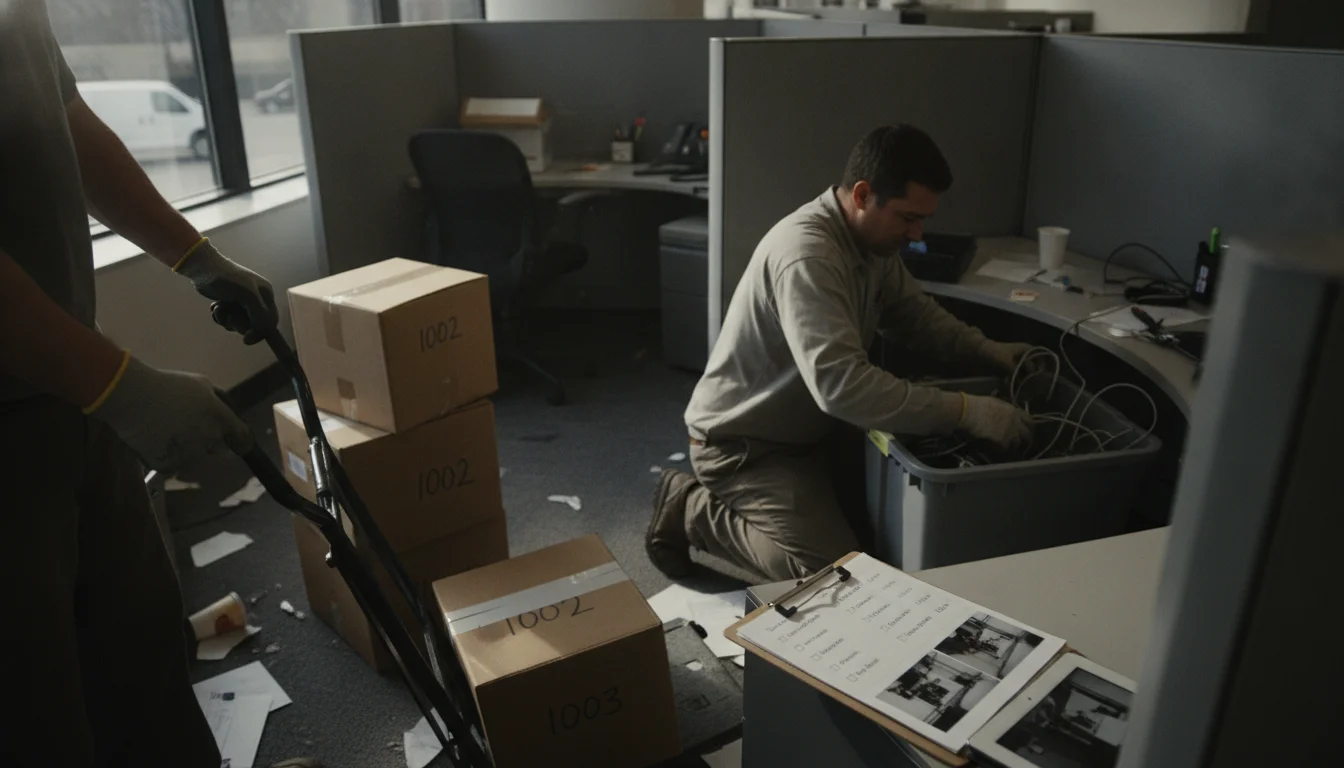
On removal day, crews start with protection. They lay floor runners, pad door frames, and use corner guards. Safety is essential: clear paths, closed‑toe shoes, gloves, and eye protection are standard. OSHA basics guide the work so both crews and occupants stay safe. If a lift is involved, only trained workers operate it. The team disassembles large items and stacks parts so moves are efficient and controlled.
Site protection matters as much as speed. Elevators get lined, and the schedule matches building rules. Debris moves in waves to avoid bottlenecks at the dock. The project lead checks in with the building team and your point person to adjust the pace as needed.
To finish, the crew sweeps the space, collects any final loose items, and removes protection. A walkthrough confirms the agreed scope is complete. Photos can document condition for a lease close‑out.
- Simple process: assess, plan, protect, remove, sort, haul, sweep, and sign off.
Safety Protocols That Matter
Safety procedures cut risk. Team briefings set the plan. Spotters guide awkward loads. Caution signs alert bystanders. Lifting relies on proper tools and techniques, not just muscle.
Communication During the Job
You receive quick updates as zones finish. If add‑on items appear, the lead flags them and gets approval before proceeding.
Responsible Disposal: Donation, Recycling, and E‑Waste Handling
A strong office cleanout service tries to keep items in use. Chairs and tables in solid condition may go to local nonprofits, schools, or reuse centers. Donation partners typically ask for clean, working items and clear counts. Reuse supports the community and reduces waste hauling.
Recycling steps in when donation isn’t a match. Metal frames, wire racks, and some plastics can be sorted into recycling streams. Cardboard from packing is baled. Wood from desks may be routed to facilities that accept it, depending on local options. Good on‑site sorting speeds this step.
Electronics require extra care. E‑waste includes monitors, towers, printers, and cables, many of which contain components that should not enter landfills. The U.S. Environmental Protection Agency provides guidance on how to handle electronic waste and recycling options; see the EPA’s e‑waste page for an overview (EPA e‑waste basics). Data devices like hard drives and phones should be wiped or physically destroyed based on your policy. Ask for a device count and a record of what was handled.
Some states have specific rules for certain items. For example, many jurisdictions regulate fluorescent lamps and specific battery types. The U.S. Department of Transportation also regulates the transport of some batteries, especially those classified as hazardous materials. Providers should understand these basics and use certified facilities when needed.
- Reuse first: donate what works; recycle metals, cardboard, and cable; handle e‑waste with care and documentation.
Data and Device Handling
For data‑bearing devices, request serial logs, a transfer record, and a vendor receipt. Chain of custody means you have a documented trail of who handled the device from pickup to final processing.
Certified E‑Waste Partners
Look for R2 or e‑Stewards certified recyclers. These programs set standards for safe, responsible electronics recycling (SERI R2 Certification).
Compliance, Insurance, and Building Logistics
Compliance reduces risk. A Certificate of Insurance (COI) verifies the provider’s coverage and typically lists the building owner and manager per lease requirements. Many properties require a COI before granting dock or elevator access. Reliable teams provide this early so schedules stay on track.
Permits may be required for short‑term parking or a temporary container in some cities. Data security rules matter for drives and records. Ask how the team documents chain of custody for sensitive items. Chain of custody is a written record of the movement and control of an item from pickup to final handling.
Building logistics can make or break the day. Elevators may need pads, service keys, or an operator. Some properties limit moves to evenings or weekends to avoid peak hours. Loading docks can have tight windows or height limits for trucks. A clear plan reduces idle time.
After‑hours access is common in busy towers. This lets crews move faster and avoid blocking tenants. It can also reduce noise and keep hallways open. The provider should respect quiet hours and comply with all property rules. If the site has union provisions or approved‑vendor lists, your team should clear those in advance.
- Bring COIs, align on permits, reserve elevators, and confirm dock windows before moving day.
Working With Property Management
Share the plan early. Provide suite numbers, floor counts, and any no‑go routes. Confirm staging areas and where dollies and bins can be parked.
Documentation You Should Expect
You may receive pre‑ and post‑job photos, device logs, donation receipts, and a final service summary for your records.
Pricing, Timelines, and What Affects Your Quote
Costs vary by scope. The main drivers are volume, labor, access, and any special handling. Volume refers to how much material fills a truck or container. Labor depends on how many items need to be taken apart and carried. Access matters, too. Stairs, long pushes, and limited elevator time add minutes and complexity.
Special handling can include glass walls, server racks, safes, and dense filing units. These may require extra tools or a larger crew. Packaging time matters as well. If items need wrapping to protect finishes, crews plan for it. Dock rules can also impact timelines. A short window may require staging loads off‑site.
Timelines hinge on space size and building rules. A small suite might be cleared in a day. A full floor can take several days. Scheduling windows should respect your work hours and neighbor quiet times. The goal is minimal disruption for your staff and adjacent tenants.
Downtime is a common concern. Many teams plan a phased cleanout: start with unused zones, then shift staff as areas finish. This keeps work moving while the crew clears the rest. Your provider should outline a clear start and projected finish, with updates if the plan changes.
- Quote factors: item volume, crew size, stairs/elevators, long carries, and any specialty items.
Scheduling for Less Disruption
Ask about early mornings, evenings, or weekend slots. After‑hours work can accelerate progress and reduce interference with your team’s day.
What a Quote Should Include
Look for clear scope notes, disposal methods, building logistics, and any add‑ons. Ask how surprises discovered during the job will be handled and documented.
Preparing Your Team and Choosing the Right Provider
Preparation saves time. Share a pre‑cleanout checklist with your staff. Mark what stays and what goes. Empty desks and cabinets. Unplug devices and remove personal items. Label data‑bearing devices and set aside anything IT needs to wipe. Clear a path to doors and elevators.
Communication is key. Notify the building of your dates. Reserve the elevator. Share quiet hours. Let neighbors know the plan. Assign one point person to streamline decisions on removal day.
Choosing a provider takes a few targeted questions. Ask how they sort items for donation and recycling. Ask about their e‑waste partners and whether they can log device serials. Confirm they carry insurance and can furnish a COI. Check whether they’ve worked in similar buildings in Newton.
Use service names to compare your options. Many organizations pair an Office Cleanout in Newton, MA with follow‑on support like Commercial Junk Removal in Newton, MA. Some also use Junk Removal Services in Newton, MA to handle smaller runs after move day. Property managers often schedule an Estate Cleanout in Newton, MA or an Attic & Basement Cleanout in Newton, MA for other parts of a portfolio.
- Prep list: label items, clear drawers, stage e‑waste, reserve elevator, and set a single point of contact.
Questions to Ask Before You Book
- How do you handle e‑waste and data devices? Can you log serial numbers?
- What donation or recycling partners do you use?
- Can you provide a COI and follow building rules?
- How do you protect floors, walls, and elevators?
- What is the expected start and finish window?
Why Local Experience Helps
Teams who know Newton and Massachusetts building norms work more smoothly. They already understand dock rules, quiet hours, and common routes—helping your schedule stay on track.
Frequently Asked Questions
What does an office cleanout include?
An office cleanout includes sorting, disassembly, carrying, and hauling of desks, cubicles, chairs, electronics, and assorted junk. Crews protect floors and doors, stage loads, and route items for donation, recycling, or disposal. They finish with a sweep and a walkthrough so your space is ready for the next use.
How do you dispose of old office electronics?
Electronics should go through certified e‑waste partners who keep harmful parts out of landfills. Many teams log device serial numbers and provide receipts. Drives should be wiped or destroyed per policy. Ask your provider about chain‑of‑custody records and which certified recyclers handle your equipment.
Can a cleanout happen during business hours?
Yes, with a plan. Providers often schedule around quiet hours, reserve elevators, and stage loads to avoid blocking paths. Some tasks can happen after hours to reduce noise. A phased plan clears low‑use areas first, then active zones, so your team keeps working with minimal disruption.
Do you handle confidential files and shredding?
Providers can pack sealed bins for shredding and log transfers. Many offer on‑site or off‑site shredding through vetted partners. You should label sensitive files and keep a list of box counts. Ask for a certificate or receipt from the shredding vendor to close the loop for your records.
What happens to usable furniture and chairs?
If items are clean and safe, they may be donated to local nonprofits, schools, or reuse centers. The team can provide counts and pickup records. Items not fit for reuse are sorted for recycling when possible. This approach reduces waste and supports the community while clearing your space.
Key Takeaways
- An office cleanout service clears furniture, electronics, and junk, then leaves a clean, ready‑to‑use space.
- Plan for building rules: COIs, elevator pads, dock windows, and quiet hours.
- Prioritize reuse and recycling, then dispose responsibly.
- Data‑bearing devices need logs and chain‑of‑custody records.
- Prep your team with labels, clear paths, and one point of contact.
Conclusion
A smooth office cleanout is more than hauling. It’s thoughtful planning, safe work, careful sorting, and respect for building procedures. With the right partner, your team stays focused and your space turns over on time. Newton Massachusetts Junk Removal supports businesses across Newton with well‑coordinated crews and practical workflows. Contact us.
If you are not sure which of these you are dealing with, it is worth having someone look at it before it turns into a bigger job. Get in touch with Newton Massachusetts Junk Removal today and we will tell you where you stand.